Digital Downloads: You are welcome to share this link with anyone you choose. You can download photos directly from this gallery - to do so on a laptop click "select" in the top right corner of the gallery page, click the heart on each image you'd like to download or click "select all" in the top left of the gallery page, and then click "download" in the top right of the gallery. This should give you a popup for a downloadable zip file, which will then be found in the downloads folder on your computer.
Professional Grade Prints: You can also purchase prints or canvases directly from this gallery, which will ship to your address. To do so, simply select the images you'd like and click "buy" which will take you to the product menu.
Creating Your Wedding Photo Album

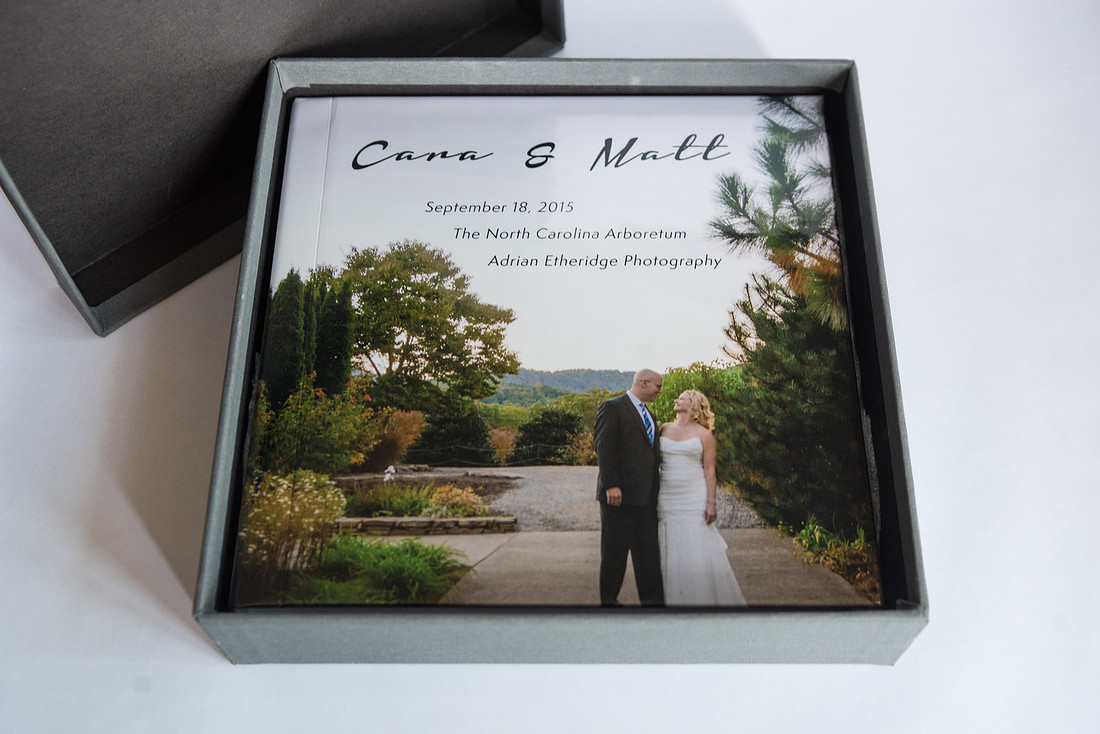
 Next to capturing your big day, creating the photo album to memorialize your special moments is my favorite part of the process. To aid you in our creation process, I've put together some step-by-step directions for choosing the specs of your album.
Choosing your photos:
In your online photo gallery, if you select a photo you will be prompted to create an account through my website. From here, select all of your favorite photos and title this favorites set "[Your Name] Photo Album." I'll be able to see your selections on the backend of my site.
For wedding albums, 200-300 photos is about the average range; you could certainly do less and have more full-page spreads, but chances are if I photographed for you for 4 hours or more, you'll have too many photos to narrow it down that much!
Choosing your text:
Adding text to your album gives it an extra personal touch and is a sweet way to memorialize special vows or text included in your ceremony. The most-used text is, of course, vows but you can also included readings, Bible verses, quotations about each other, etc. You can either email me this text or share your set of favorite images with me and include the writing in the comments. Alex and Zack included excerpts from some of their favorite pieces of literature - you can see their album here.
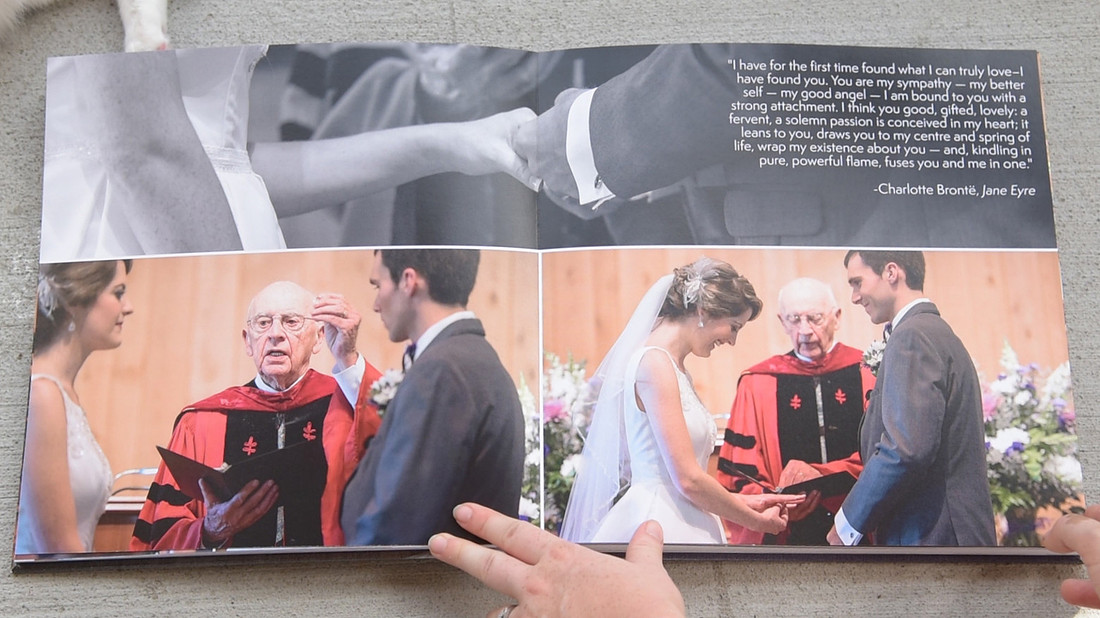
Choosing your album cover:
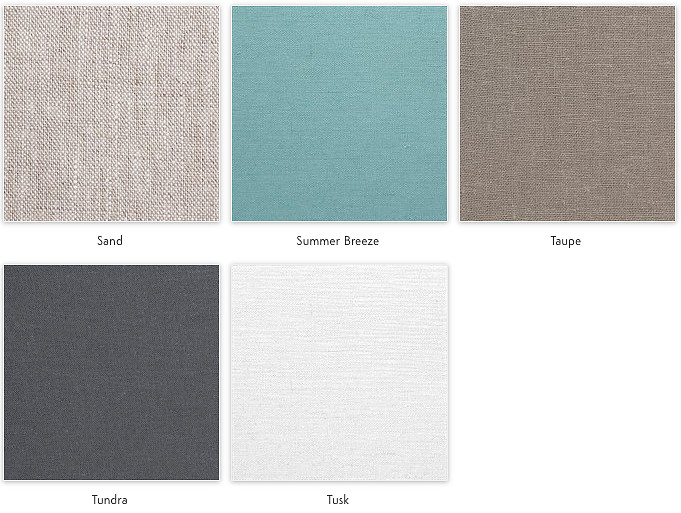
There are three cover choices: leather (bonded or faux leather), linen and custom image cover (in canvas, satin or glossy hardcover as seen in the topmost image.) Within them, the leather and linen have an assortment of colors to choose from, shown below. Here are some past client examples: faux leather, canvas custom and glossy custom.
Bonded Leather
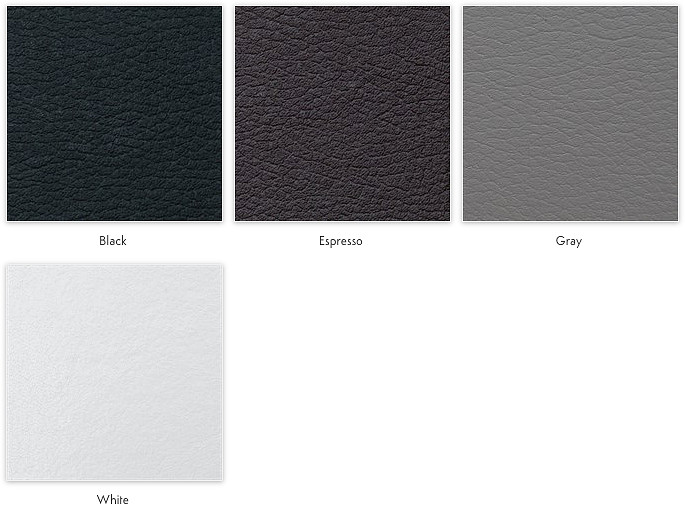
Faux Leather
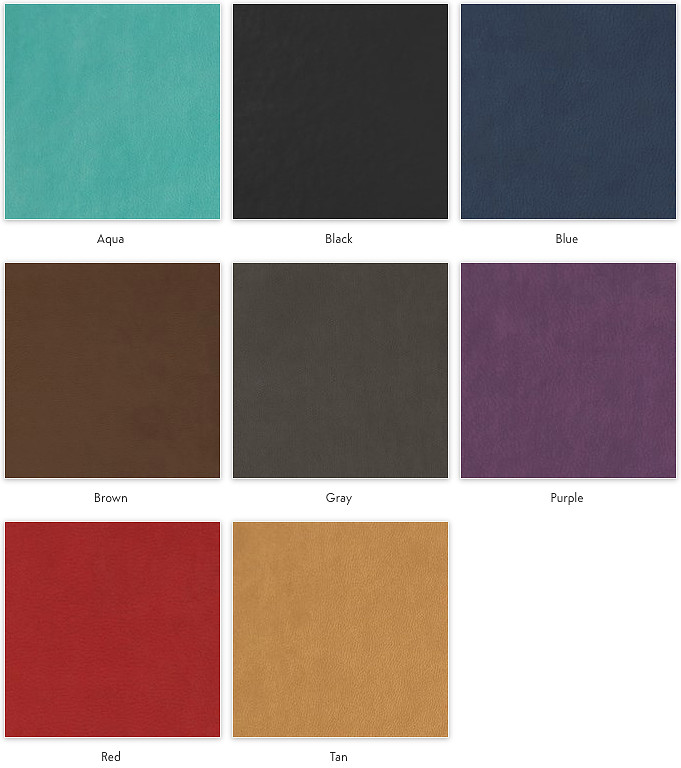
Linen
Choosing add-ons:
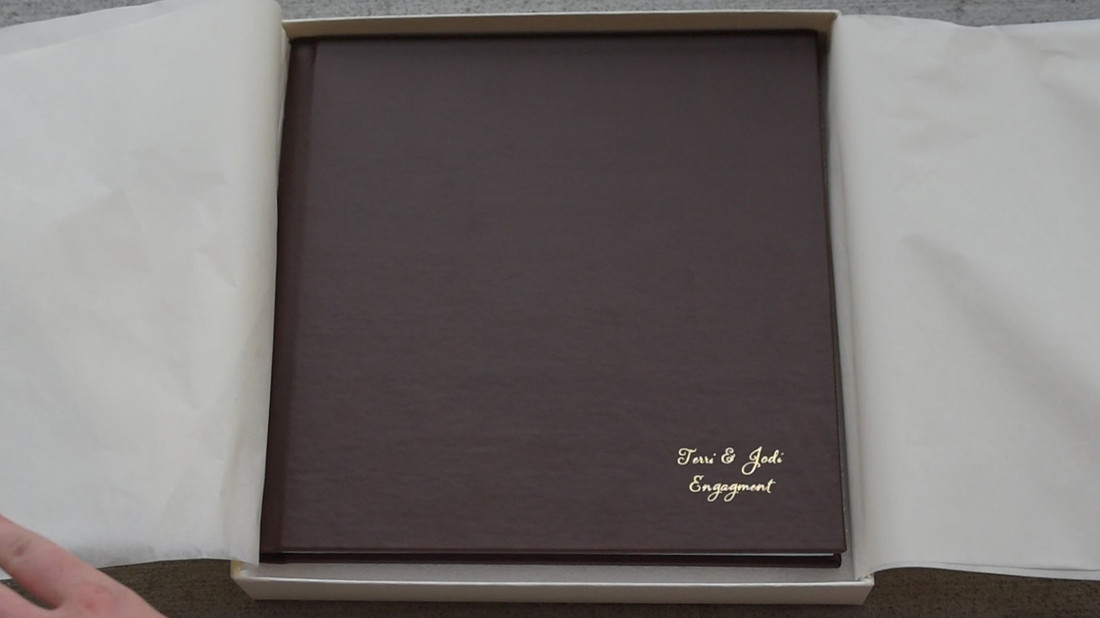
For leather covers, you have the option of adding foil stamping or debossing. Foil stamping goes in the bottom right corner while debossed lettering will go in the middle. You can choose from black, copper, gold, granite and silver. You can include up to 3 lines of text, typically names, wedding date and venue or location. For an, check out Terri and Jodi's engagement album.
 If you've chosen a custom image cover, you can still get the information printed on the book, it will just be added as a text overlay rather than stamped into the book. With this option you can put the text wherever you want! Check out Alex and Zack's album with text on the binding.
Proofing:
Once you've chosen all of these things, I will put together your album and send you a PDF proof. Once you've approved it, I'll put the order in! I can typically have it ready in a week and will deliver it with your USB drive of digital album images.
If you have any questions, feel free to email me. Otherwise, let's get to album-making!